> This page is for version v2024-05-25 (default).
> For other versions, use one of these documentation indexes:
> - v2024-05-25 (default): https://docs.monite.com/v-2024-05-25/llms.txt
> - v2024-01-31: https://docs.monite.com/v2024-01-31/llms.txt
> - v2023-09-01: https://docs.monite.com/v2023-09-01/llms.txt
> For clean Markdown of any page, append .md to the page URL.
> For a complete documentation index, see https://docs.monite.com/llms.txt.
> For AI client integration (Claude Code, Cursor, etc.), connect to the MCP server at https://docs.monite.com/_mcp/server.
# React SDK quick start
## Overview
This quick start shows how to set up and utilize **Monite's React UI SDK** in your **React** or **Next.js** applications.
## Before you begin
To follow this quickstart guide, ensure you have retrieved your credentials from the [Monite partner portal](https://portal.sandbox.monite.com/signin). For more information, see [Get your credentials](../credentials).
## 1. Installation
To install the Monite React UI SDK, run:
**`npm`**
```sh title="npm"
npm install @monite/sdk-react
```
**`Yarn`**
```sh title="Yarn"
yarn add @monite/sdk-react
```
## 2. Authentication
Define your `fetchToken` function to retrieve your access tokens.
**`React.js`**
```js React.js
const fetchToken = async () => {
const response = await fetch("https://api.sandbox.monite.com/v1/auth/token", {
method: "POST",
headers: {
"Content-Type": "application/json",
"x-monite-version": "2024-05-25",
},
// TODO: Replace the following fields with your Monite credentials
body: JSON.stringify({
grant_type: "entity_user",
entity_user_id: "ENTITY_USER_ID",
client_id: "CLIENT_ID",
client_secret: "CLIENT_SECRET",
}),
});
return response.json();
};
```
> **Error**
>
> Monite does not recommend exposing the credentials of your `fetchToken` function on the client side as shown earlier. For security reasons, we recommend that all Monite tokens are generated from your server-side code.
## 3. Initialization
To initialize the Monite React UI SDK, create an object with the parameters as shown:
**`React.js`**
```js React.js
const moniteConfig = {
apiUrl: "https://api.sandbox.monite.com/v1",
entityId: "ENTITY_ID",
fetchToken: fetchToken,
);
```
Then, import and utilize in the `MoniteProvider` wrapper as shown:
**`React.js`**
```js React.js
import { MoniteProvider } from "@monite/sdk-react";
function App() {
return (
...
);
}
export default App;
```
## 4. Example: Create a counterpart
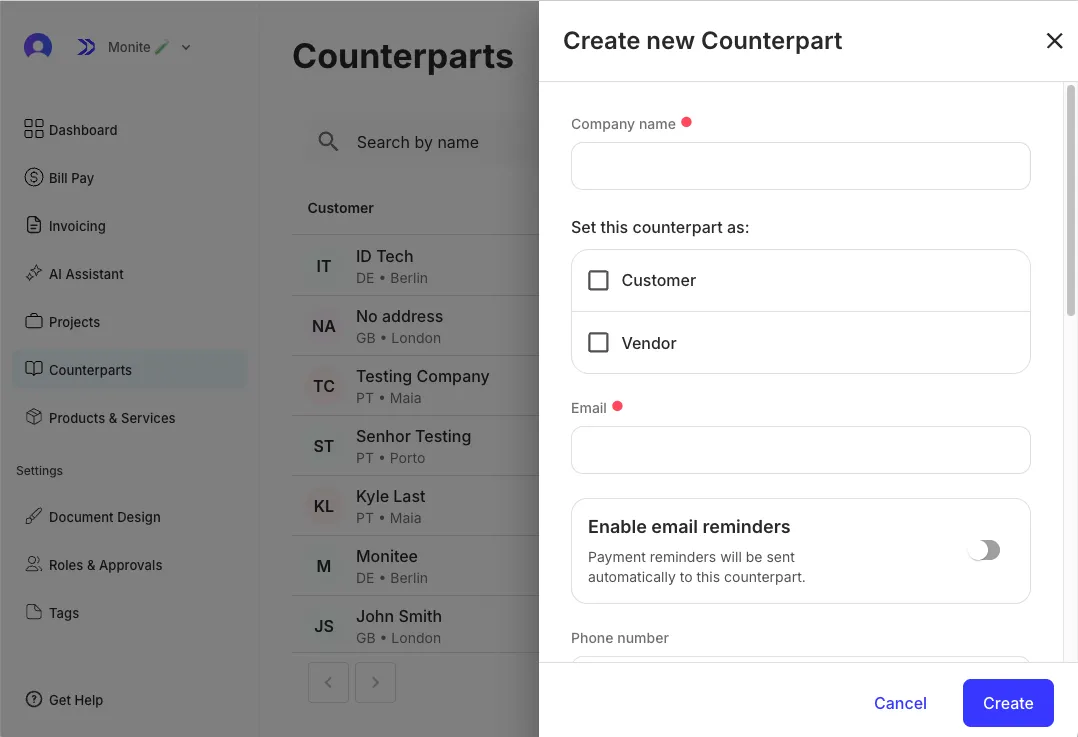
The `CounterpartDetails` component is used to create a new counterpart. When provided with the `type` prop, the component renders a modal for creating counterparts of type `individual` or `organization`. To create a counterpart, import and render the `CounterpartDetails` component as shown:
**`React.js`**
```js React.js
import { CounterpartDetails, Dialog } from "@monite/sdk-react";
function CounterpartModal() {
return (
);
}
export default CounterpartModal;
```
## 5. Example: View counterpart details
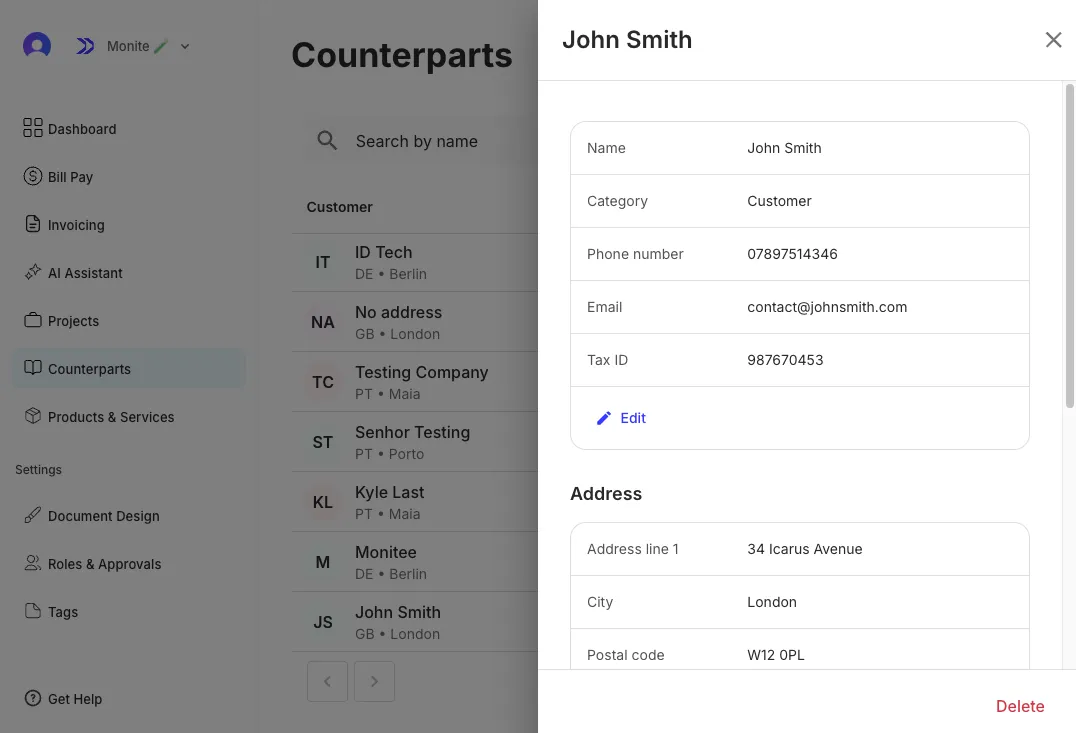
To view counterpart details, use the `CounterpartDetails` component and provide the counterpart ID to the `id` prop as shown:
**`React.js`**
```js React.js
import { CounterpartDetails, Dialog } from "@monite/sdk-react";
function CounterpartModal() {
return (
);
}
export default CounterpartModal;
```
For more information on Monite's React UI components, see [React UI components](../../sdks/react/components/index).
## Next steps
By completing this quickstart, you have learned how to:
* Install and initialize Monite React UI SDK package.
* Create a counterpart using the `CounterpartDetails` component.
* View counterpart details using the `CounterpartDetails` component.
Next, you can generate and issue receivable to the counterpart via the Monite React UI SDK. For more information on the Monite React UI SDK, see [React UI components](../../sdks/react/components/index).