> For clean Markdown of any page, append .md to the page URL.
> For a complete documentation index, see https://docs.monite.com/llms.txt.
> For AI client integration (Claude Code, Cursor, etc.), connect to the MCP server at https://docs.monite.com/_mcp/server.
# InvoicesTable component
## Overview
`InvoicesTable` is a React component that displays all accounts receivable [invoices](../../../accounts-receivable/invoices/index) created by an entity. The component shows each invoice's amount, status, issuance date, due date, and the counterpart to which they were sent.
## Permissions
To access this component, the entity user must have `read` permissions for the `receivable` object. For more information, see [List of permissions](/api/concepts/authentication#permissions).
## Preview
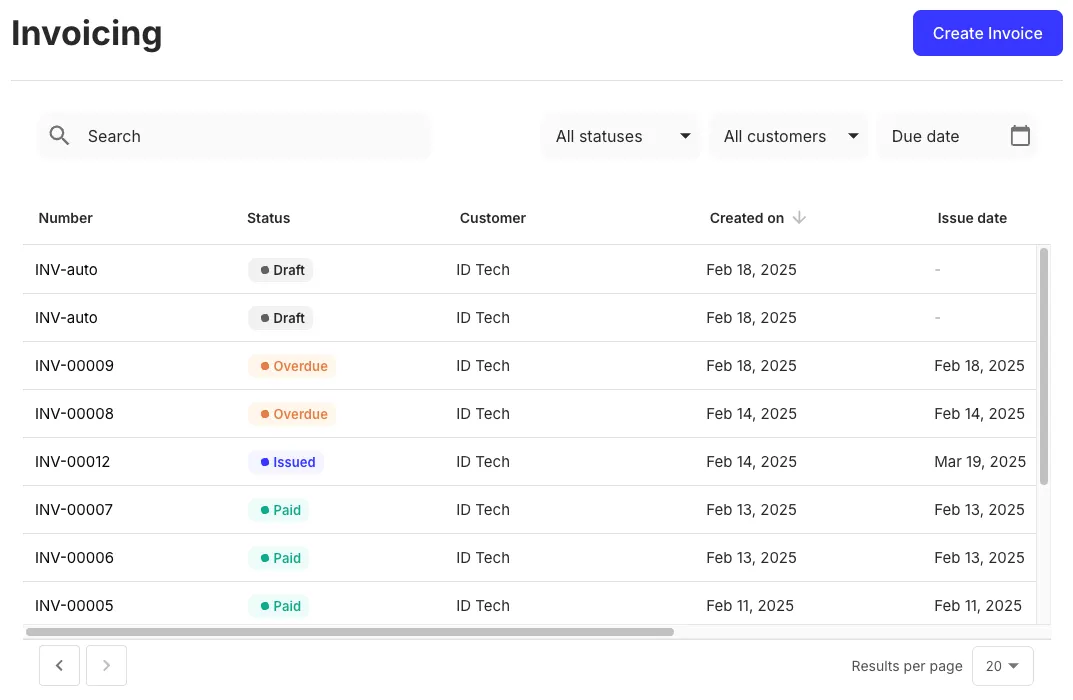
> **Tip**
>
> You can move and organize the columns of the table the way you prefer.
## Usage
Use the `InvoicesTable` component in your application as follows:
**`React.js`**
```jsx React.js
import { InvoicesTable } from "@monite/sdk-react";
...
// TODO: This component must be rendered within the MoniteProvider wrapper
const InvoicesTablePage = () => {
return
};
```
## Props
**`filters`** `array of string`
A list of search filters to display above the data table. Each filter is defined by the name of the underlying data field. UI labels of the filter inputs are populated automatically.
The default filters are: invoice number (partial match), invoice status, counterpart, and due date (before or on the selected date).
Example:
```jsx
```
---
**`onRowClick`** `function`
This callback takes the identifier of the clicked row as a parameter and is triggered when a invoice table row is clicked.
---
**`query`** `object`
The data query used to populate the table.
The object's fields correspond to the query parameters of the [`GET /receivables`](/api/receivables/get-receivables) endpoint.
The `type` field is required, others are optional.
Example: display only draft invoices, newest first:
```jsx
```
---