> For clean Markdown of any page, append .md to the page URL.
> For a complete documentation index, see https://docs.monite.com/llms.txt.
> For AI client integration (Claude Code, Cursor, etc.), connect to the MCP server at https://docs.monite.com/_mcp/server.
# PayableDetails component
## Overview
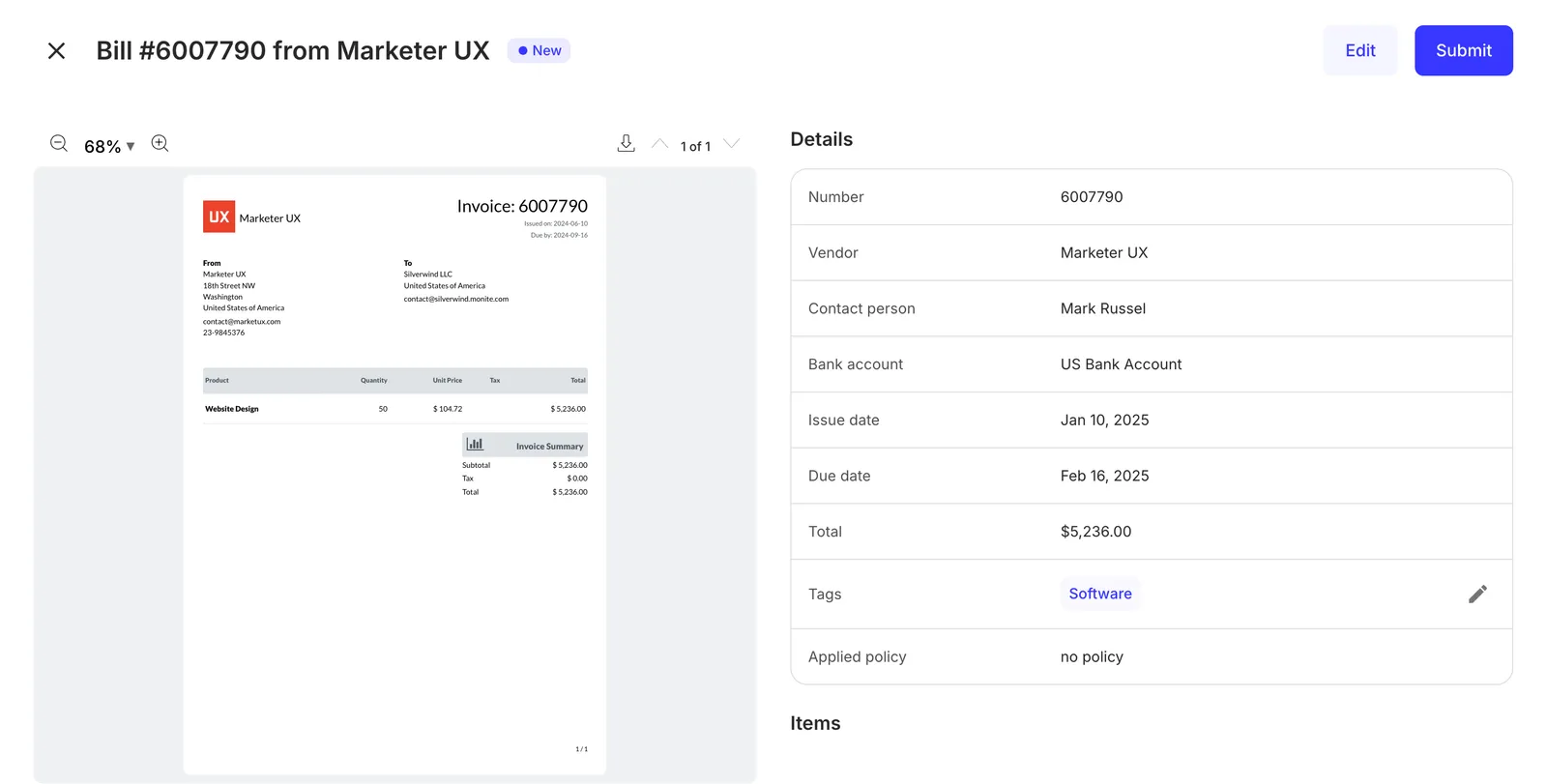
The `PayableDetails` component renders the interface for creating, uploading, editing, and transitioning a payable. It also displays a copy of the uploaded payable alongside details of a payable, allowing a user to edit these details.
## Permissions
To view details of an existing payable, the entity user must have `read` permissions for the `payable` object. To create, edit, and delete payables, they must also have `create`, `update`, or `delete` permissions for the `payable` object. For more information, see [List of permissions](/api/concepts/authentication#permissions).
## Preview
## Usage
Use the `PayableDetails` component to create new payables and view and edit details of an existing payable. To view details of an existing payable, use the `PayableDetails` component with the `id` prop as shown:
```jsx
import { Dialog, PayableDetails } from "@monite/sdk-react";
// This component must be rendered within the MoniteProvider wrapper
const PayableDetailsPage = () => {
return (
);
};
```
To create a new payable, import the `PayableDetails` component without providing the `id` prop as shown:
```jsx
import { PayableDetails } from "@monite/sdk-react";
// This component must be rendered within the MoniteProvider wrapper
const PayableDetailsPage = () => {
return ;
};
```
## Props
| Prop | Type | Description |
| :------------------ | :--------- | :------------------------------------------------------------------------------------------------------------------------------------------------------------------------------------------------------------ |
| `id` | `string` | This prop accepts the UUID of the payable details to be displayed or updated. This prop is not required for the creation of new payables. |
| `onApproved` | `function` | This callback is triggered after a payable is approved by an entity user. |
| `onCanceled` | `function` | This callback is triggered after a payable is canceled. It contains one string argument representing the payable UUID. |
| `onClose` | `function` | This callback is triggered when the modal form is closed. |
| `onPay` | `function` | This callback is triggered after a payable is paid. |
| `onRejected` | `function` | This callback is triggered after a payable is rejected by an approver. |
| `onSaved` | `function` | This callback is triggered after the "**Save**" button is clicked. |
| `onSubmitted` | `function` | This callback is triggered after a payable is submitted for approval. |
| `ocrRequiredFields` | `object` | This object is used to set the required fields that are necessary for OCR, e.g. `ocrRequiredFields : {invoiceNumber : true}`. The fields that were not filled in the OCR scan are marked with a red asterisk. |
## Customization
### Customize mandatory fields
You can set the fields `counterpart_id`, `counterpart_bank_account_id`, `issued_at`, and `currency` as mandatory, in addition to the [required fields](../../../accounts-payable/payables/index#required-fields), for the payable creation. To do this, call [`PUT /payables/validations`](/api/payables/put-payables-validations):
```sh
curl -X PUT 'https://api.sandbox.monite.com/v1/payables/validations' \
-H 'X-Monite-Version: 2024-05-25' \
-H 'Authorization: Bearer ACCESS_TOKEN'
-d '{
"required_fields": [
"currency",
"issued_at"
]
}'
```
The component will mark the selected mandatory fields with a red asterix and validate them.
### Set fields to be mandatory for review after OCR
You can select which fields of the Payable are mandatory to be filled after the OCR process. The fields that were not scanned will be marked as required with a red asterisk:
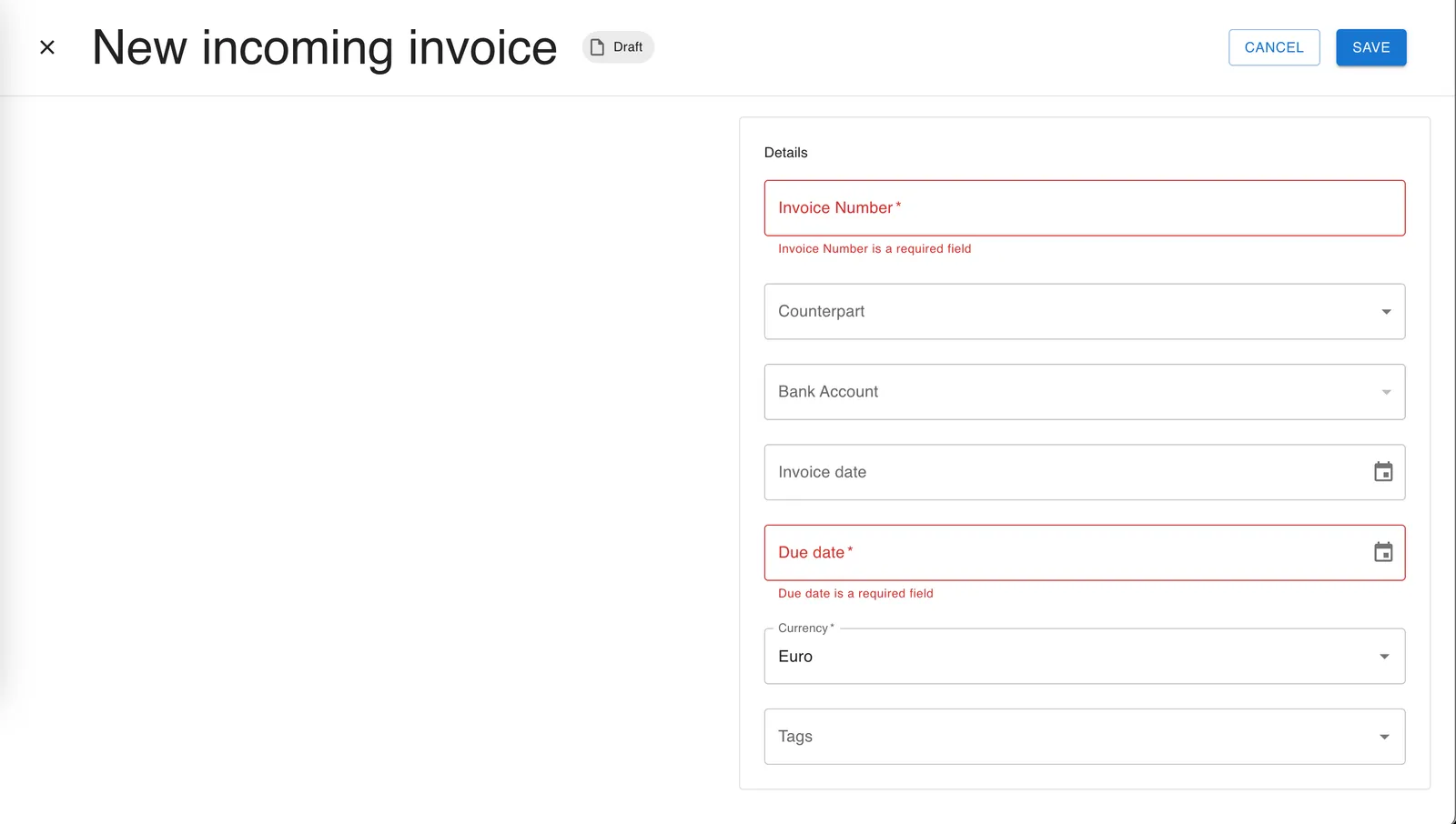
The required fields must be informed in the `payables.ocrRequiredFields` field. Here is an example:
```jsx
const componentSettings = {
payables {
ocrRequiredFields: {
currency: true,
invoiceDate: true,
counterpart: true,
invoiceNumber: true,
counterpartBankAccount: true,
document_issued_at_date: true,
dueDate: true,
tags: true,
counterpartName: true,
contactPerson: true,
issueDate: true,
amount: true,
appliedPolicy: true,
addedByUser: true,
addedOn: true,
updatedOn: true
},
},
},
```