

Making SEPA Credit payments
Available in: 🇪🇺 EU, 🇬🇧 UK
Supported currencies: EUR, GBP
Supported payer (entity) countries: Austria BETA, Belgium, Germany, Ireland, Italy, Netherlands, UK
Overview
SEPA Credit Transfer (SCT) is a payment method used for cross-border and domestic Euro payments within the Single Euro Payments Area (SEPA) region. Both the sender and the recipient can be companies or individuals.
Use cases
SEPA Credit is one of the payment methods available for Monite payment links. Entities can use payment links to both send and receive SEPA Credit payments.
BillPay (pay payables)
- Entity receives a payable from its counterpart (vendor or supplier).
- The partner’s application enables entity users to view the available payables, along with the “pay” option for unpaid payables.
- When an entity user chooses to pay a payable, the application generates a payment link ID for that payable and uses that ID to initialize the embedded Payment Web Component.
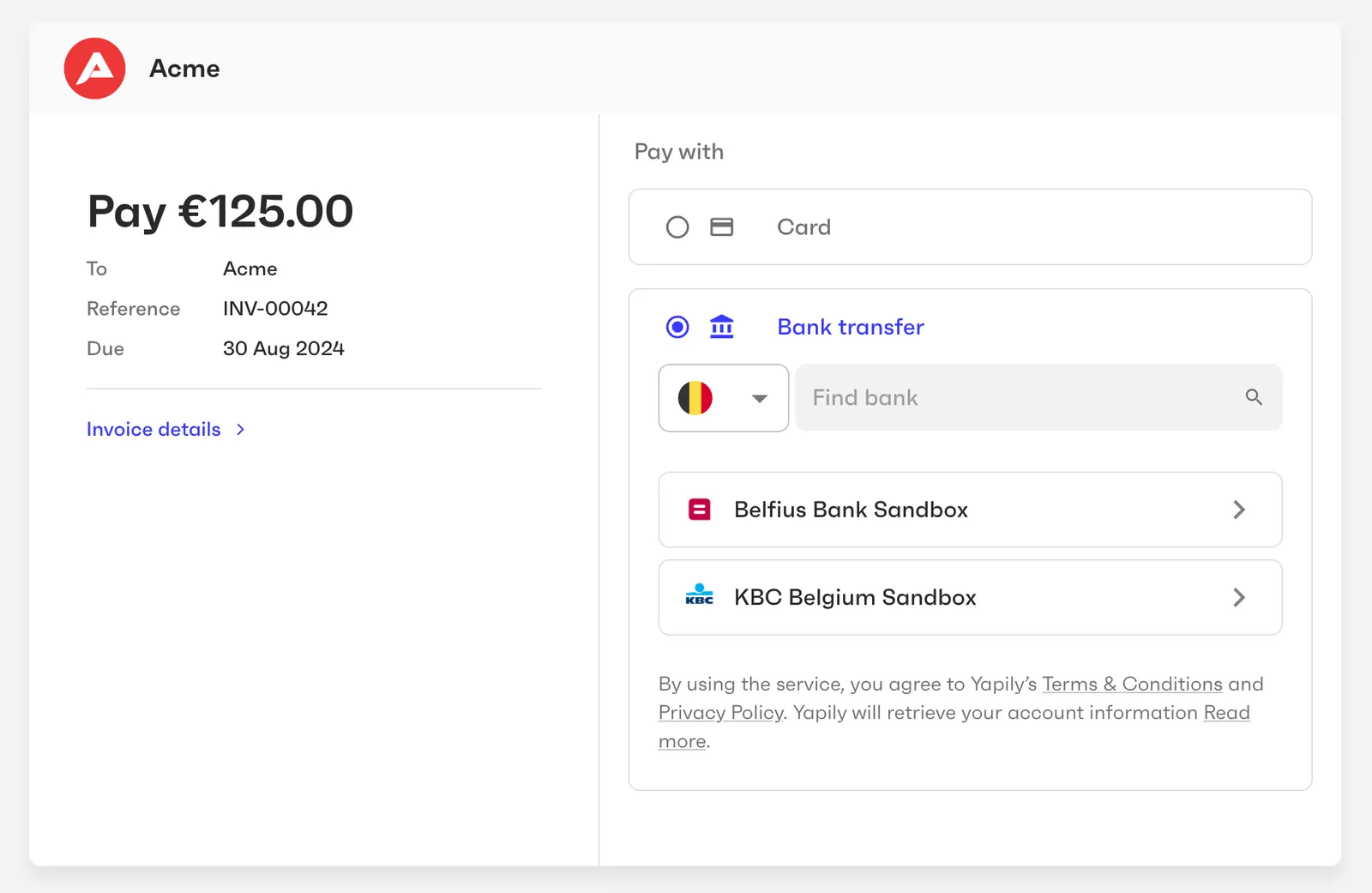
- The payment component displays the payment details (amount, recipient, due date, etc.) and the available payment methods.
- To pay via SEPA Credit, the entity user selects “Bank transfer” as the payment method and provides consent to withdraw the payment amount from the entity’s bank account.
- Monite initiates the payment with the entity’s bank.
- After the payment request is accepted by the entity’s bank, the funds are transferred via SEPA Credit to the counterpart bank account specified in the payable.
Requirements
From an integration perspective, using SEPA Credit requires the following from Monite partners:
- Server side - to generate payment links, receive webhooks about the payment status, and (optionally) customize the look and feel of the payment page.
- Client side - you can use either Monite-hosted payment page (optionally masked with your own domain), or an embeddable Payment component.
Additionally:
- Both the payer (entity) and the recipient (counterpart) must be based in the EU or UK.
- If the recipient counterpart is based in the EU:
- Payment currency must be EUR. For example, in case of invoice payment scenarios, the invoice currency must be EUR.
- The counterpart’s default bank account must be in a country in the SEPA zone. See Counterpart bank accounts to learn how to specify bank account details.
- If the recipient counterpart is based in the UK:
- Payment currency must be GBP. For example, in case of invoice payment scenarios, the invoice currency must be GBP.
- Counterpart’s bank account must have the account holder name specified.
SEPA Credit does not require any additional entity onboarding besides the abovementioned requirements. However, if an entity also needs other payment methods, those payment methods may require additional onboarding. For more information about the onboarding process, see Payments onboarding.
Scenario: Make a SEPA Credit payment
This guide assumes an entity, its counterpart, and the counterpart’s bank account have already been created in Monite.
1. Enable the SEPA Credit payment method for the entity
To check if SEPA Credit is already enabled for the entity, call GET /entities/{entity_id}/payment_methods. If sepa_credit is not present in the list of payment methods, call PUT /entities/{entity_id}/payment_methods to add it. For more information, see Enabling payment methods for an entity.
In the example below, we’re enabling the entity to both receive and send SEPA Credit payments.
2. Create a payment link
A payment link is a URL that leads to a secure payment page where the payer (in this example, an entity) can specify their payment details and initiate the payment.
To generate a payment link, call POST /payment_links. In the request body, specify the recipient of the payment (in this example, a counterpart), the payment_methods to be displayed on the payment page, and other details. The required request fields vary based on whether or not the invoice being paid is stored in Monite. For more information, see Create a payment link.
Payment link for an Accounts Payable invoice (bill)
Payment link for an external bill
A successful response returns the id that can be used to initialize the Payment Web Component and the payment_page_url that can alternatively be shared with an entity representative.
A payment intent for tracking the payment is also automatically created and stored in the payment_intent field of the payment link. You can also access that payment intent directly by calling GET /payment_intents/{payment_intent_id}.
3. Display the payment UI
After a payment link has been generated, you can display the payment UI to the entity representative:
-
If your application uses the Payment Web Component, initialize the component using the payment link’s
idto display the payment UI. -
If you use Monite-hosted payment page, redirect the entity representative to the payment link’s URL (
payment_page_url).
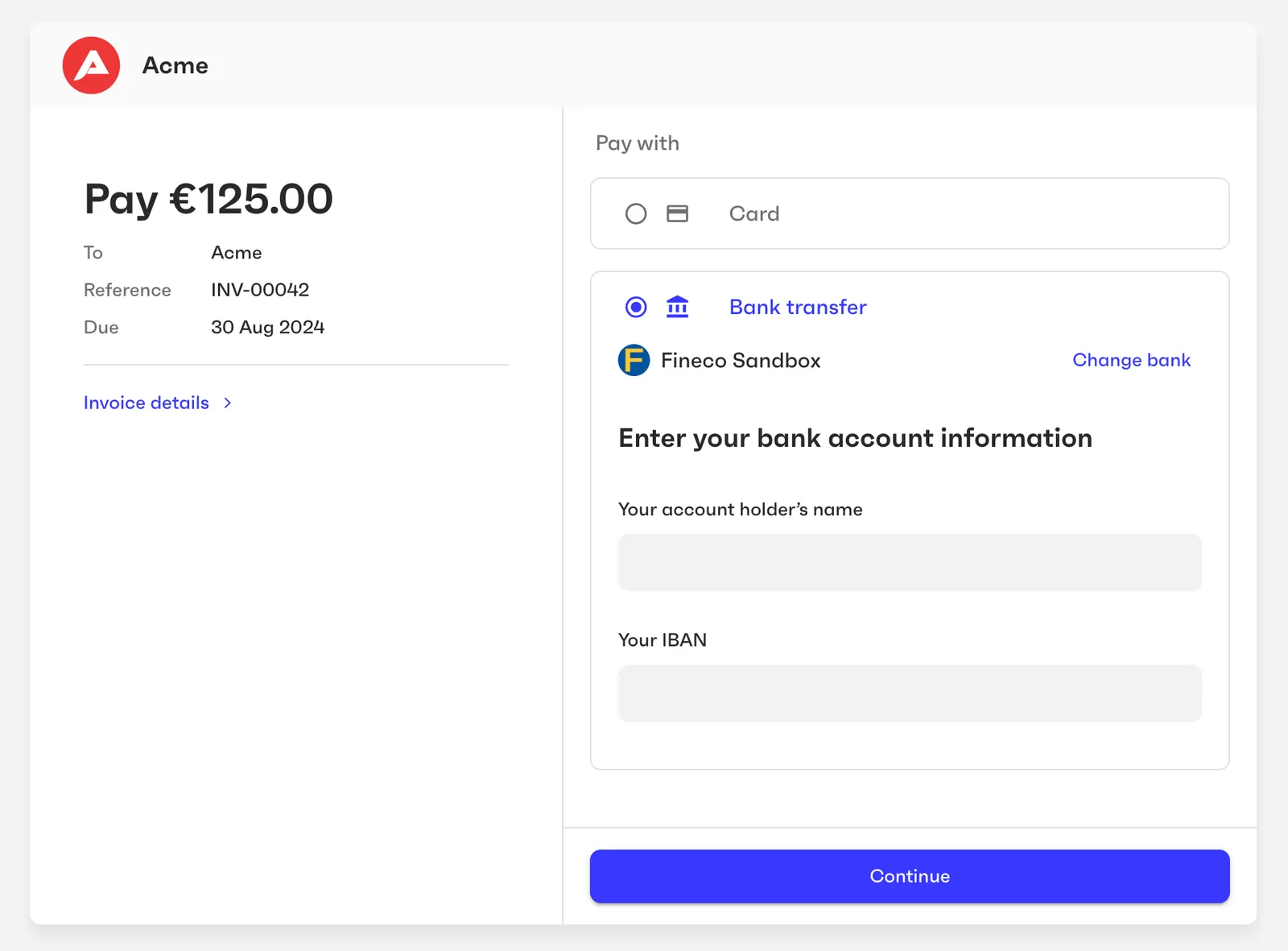
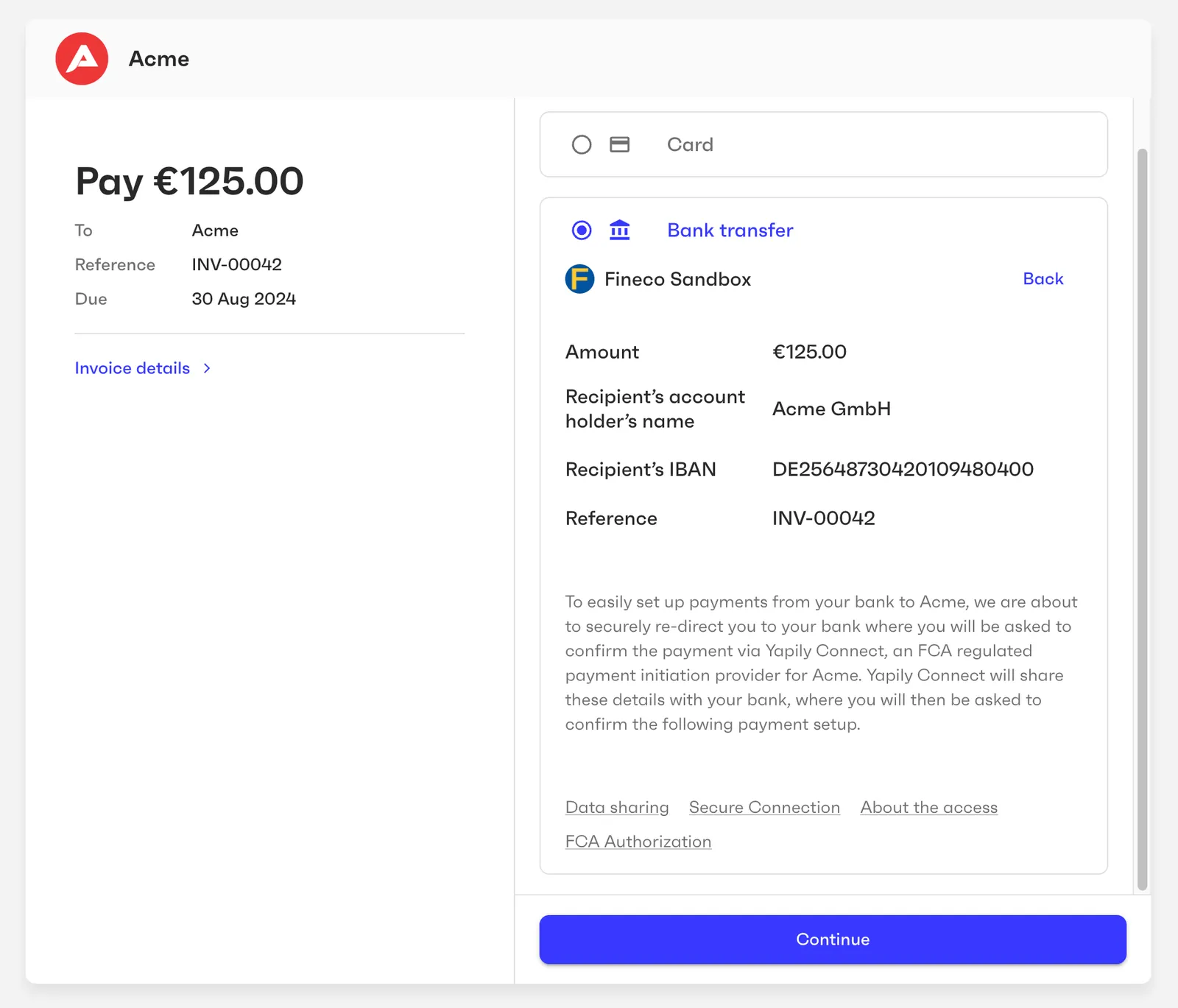
The resulting payment page displays information about the payable invoice and payment amount. The entity representative can select their bank and provide the necessary details to authorize a SEPA Credit transfer to the vendor.
4. Track the payment status
After the entity representative confirms the payment, the payment link status is changed to succeeded and the payment intent status is changed to processing. Monite triggers the following webhooks when the status of payment links and intents is changed:
payment_link.status_updatedpayment_intent.status_updated
You can monitor the status of the payment intent to know when the payment has been settled or rejected. The ID of the payment intent is stored in the payment_intent_id field of the payment link and is also included in payment_intent.status_updated webhooks. For more information, see Track the payment intent.
Remarks
- The payment reference value is normalized when passed to the payment processing provider.
Test SEPA Credit payments
See Testing payments for a list of test credentials that you can use with the sandbox version of the payment page to simulate user consent and test both successful and declined payments.