For AI agents: a documentation index is available at the root level at /llms.txt and /llms-full.txt. Append /llms.txt to any URL for a page-level index, or .md for the markdown version of any page.
API StatusPartner Portal
HomeGuidesAPI ExplorerSDKsGitHubSupport
  • Monite SDK
    • Overview
  • Drop-in
    • Drop-in overview
    • Drop-in theming
    • Drop-in localization
    • Iframe App
  • React SDK
    • Overview
      • Overview
      • ApprovalPolicies
      • ApprovalPoliciesTable
      • ApprovalPolicyDetails
      • ApprovalRequests
      • ApprovalRequestsTable
      • CounterpartDetails
      • Counterparts
      • CounterpartsTable
      • CreditNotesTable
      • DocumentNumber
      • InvoiceDetails
      • InvoicesTable
      • LayoutAndLogo
      • Onboarding
      • OtherSettings
      • PayableDetails
      • Payables
      • PayablesTable
      • ProductDetails
      • Products
      • ProductsTable
      • QuotesTable
      • Receivables
      • ReceivablesTable
      • TagFormModal
      • Tags
      • TagsTable
      • TemplateSettings
      • UserRoleDetails
      • UserRoles
      • UserRolesTable
    • SDK customization
    • SDK localization
    • SDK theming
    • SDK releases
    • v4 migration guide
LogoLogo
API StatusPartner Portal
On this page
  • Overview
  • Permissions
  • Preview
  • Usage
  • Props
React SDKComponents and wrappers

UserRolesTable component

Was this page helpful?
Previous

SDK customization

Learn how to customize the components on the Monite React SDK.
Next
Built with

Overview

The UserRolesTable component is a comprehensive React component that displays all user roles and their permission sets created by an entity.

Permissions

To access this component, the entity user must have read permissions for the role object. For more information, see List of permissions.

Preview
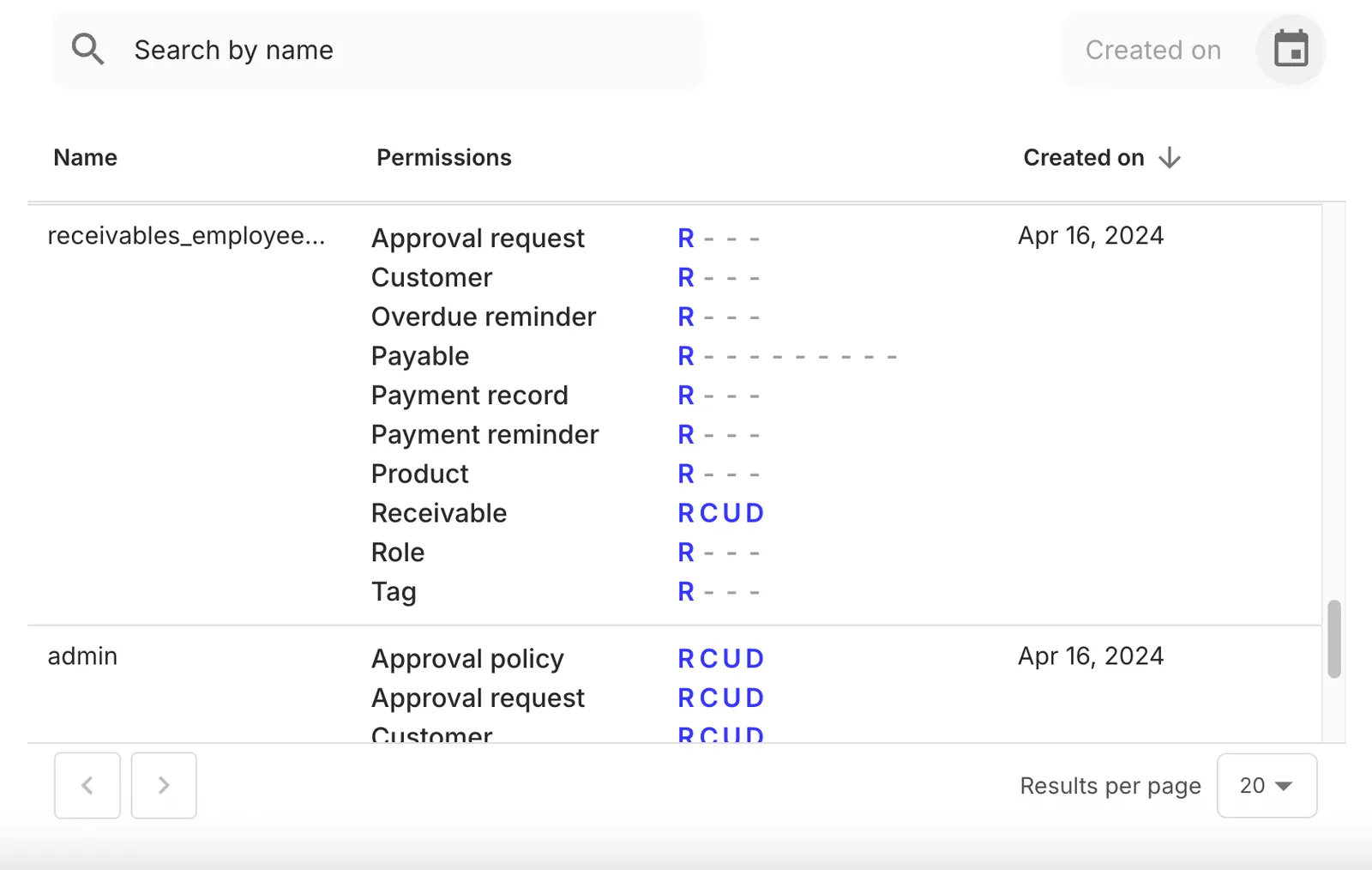
UserRolesTable component preview
You can move and organize the columns of the table the way you prefer.

Usage

Use the UserRolesTable component in your application as shown:

React.js
1import { UserRolesTable } from "@monite/sdk-react";
2
3// This component must be rendered within the MoniteProvider wrapper
4const UserRoleTablePage = () => {
5 return <UserRolesTable />;
6};

Props

The following table shows all UserRolesTable component properties, their types, and descriptions:

PropTypeDescription
onFilterChangedfunctionThis callback is triggered when the filtering options are changed.
onRowClickfunctionThis callback takes the identifier of the clicked row as a parameter and is triggered when a user role table row is clicked.
onSortChangedfunctionThis callback is called when the current sorting order for any column is changed. It returns the newly sorted field and order.

The onSortChanged takes one argument whose value is an object with the following fields:

  • sort - the field name of the column whose sort order was changed. For example, created_at.
  • order - the new sort order, either asc or desc
1(
2 "sort": "created_at",
3 "order": "asc" | "desc" | null
4) => void