For AI agents: a documentation index is available at the root level at /llms.txt and /llms-full.txt. Append /llms.txt to any URL for a page-level index, or .md for the markdown version of any page.
API StatusPartner Portal
HomeGuidesAPI ExplorerSDKsGitHubSupport
  • Monite SDK
    • Overview
  • Drop-in
    • Drop-in overview
    • Drop-in theming
    • Drop-in localization
  • React SDK
    • Overview
      • Overview
      • ApprovalPolicies
      • ApprovalPoliciesTable
      • ApprovalPolicyDetails
      • ApprovalRequests
      • ApprovalRequestsTable
      • CounterpartDetails
      • Counterparts
      • CounterpartsTable
      • CreditNotesTable
      • DocumentNumber
      • InvoiceDetails
      • InvoicesTable
      • LayoutAndLogo
      • Onboarding
      • OtherSettings
      • PayableDetails
      • Payables
      • PayablesTable
      • ProductDetails
      • Products
      • ProductsTable
      • QuotesTable
      • Receivables
      • ReceivablesTable
      • TagFormModal
      • Tags
      • TagsTable
      • TemplateSettings
      • UserRoleDetails
      • UserRoles
      • UserRolesTable
    • SDK localization
    • SDK theming
    • SDK releases
    • v4 migration guide
LogoLogo
API StatusPartner Portal
On this page
  • Overview
  • Permissions
  • Preview
  • Usage
  • Props
  • Customize mandatory fields
React SDKComponents and wrappers

Payables component

Was this page helpful?
Previous

PayablesTable component

Next
Built with

Overview

The Payables component is a comprehensive React component that renders the entire Payables page. The component integrates the functionalities of the PayablesDetails and PayablesTable components, providing a complete experience throughout the Payables workflow. This component provides the ability to create new payables via uploads and supports searching, filtering, and pagination between these payables.

Permissions

To access this component, the entity user must have read permissions for the payable object. To create, edit, and delete payables, they must also have create, update, or delete permissions for the payable object. For more information, see List of permissions.

Preview
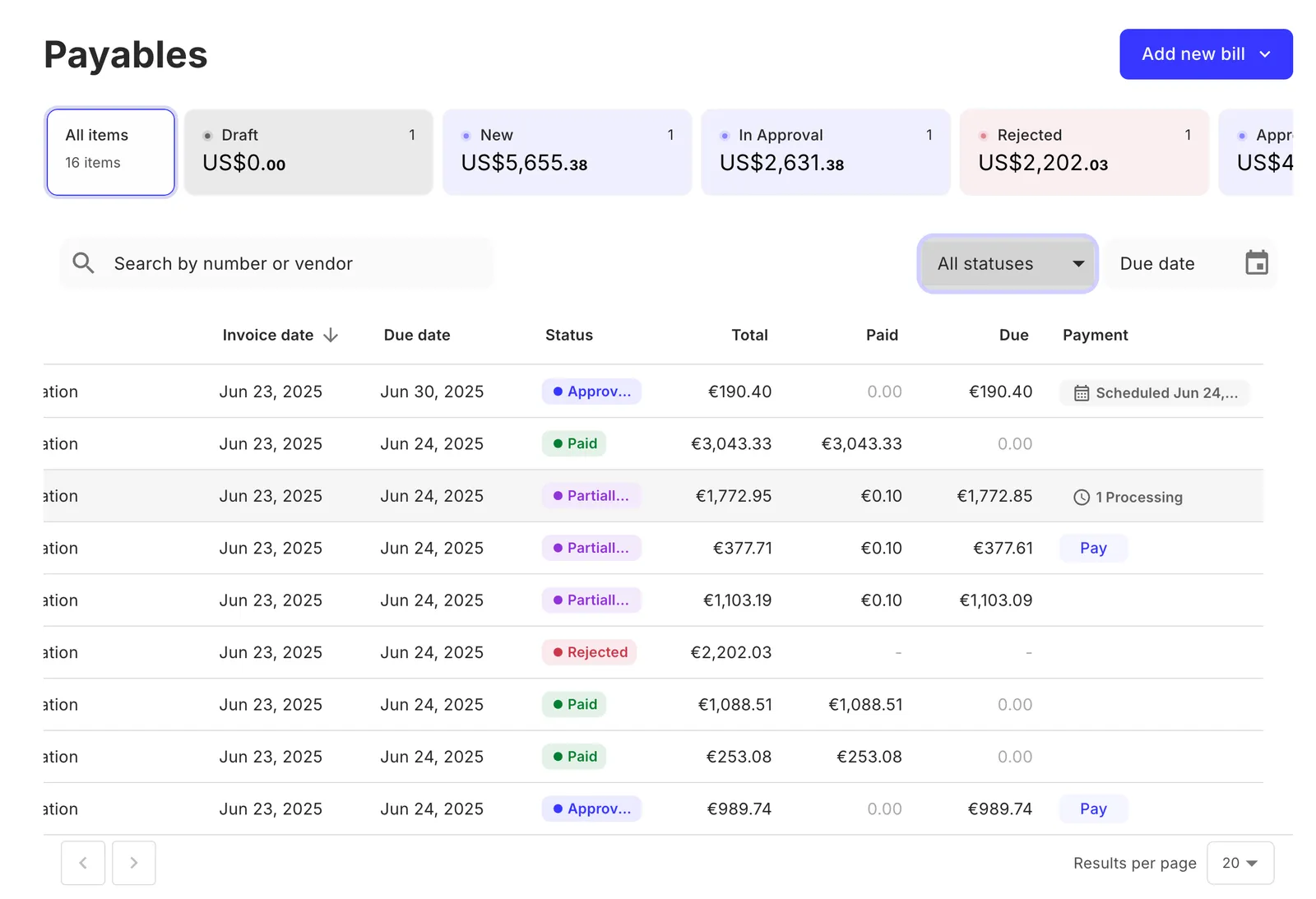
Payables component preview

Usage

Bring in the Payables component into your application as shown:

React.js
1import { Payables } from "@monite/sdk-react";
2
3// This component must be rendered within the MoniteProvider wrapper
4const PayablesPage = () => {
5 return <Payables />;
6};

Props

PropTypeDescription
enableGLCodesbooleanEnables GL code field in payable creation and editing. Defaults to false if not specified.
onSavedfunctionThis callback is triggered when the payable is saved.
onCanceledfunctionThis callback is triggered when the payable is canceled.
onSubmittedfunctionThis callback is triggered when the payable is submitted.
onRejectedfunctionThis callback is triggered when the payable is rejected.
onApprovedfunctionThis callback is triggered when the payable is approved.
onPayfunctionThis callback is triggered when the user presses the Pay button.

Customize mandatory fields

You can set the fields counterpart_id, counterpart_bank_account_id, issued_at, and currency as mandatory, in addition to the required fields, for the payable creation. To do this, call PUT /payables/validations:

1curl -X PUT 'https://api.sandbox.monite.com/v1/payables/validations' \
2 -H 'X-Monite-Version: 2023-09-01' \
3 -H 'Authorization: Bearer ACCESS_TOKEN'
4 -d '{
5 "required_fields": [
6 "currency",
7 "issued_at"
8 ]
9 }'

The component will mark the mandatory fields with a red asterix and validate them.