

OtherSettings
Overview
The OtherSettings component enables users to change various options that affect the generated PDFs for invoices, quotes, and other document types.
This component is also integrated into the larger TemplateSettings component that provides a unified UI for all available invoice template settings.
Permissions
To access and use the OtherSettings component, the authenticated entity user must have a role with the read and update permissions for the entity resource.
Preview
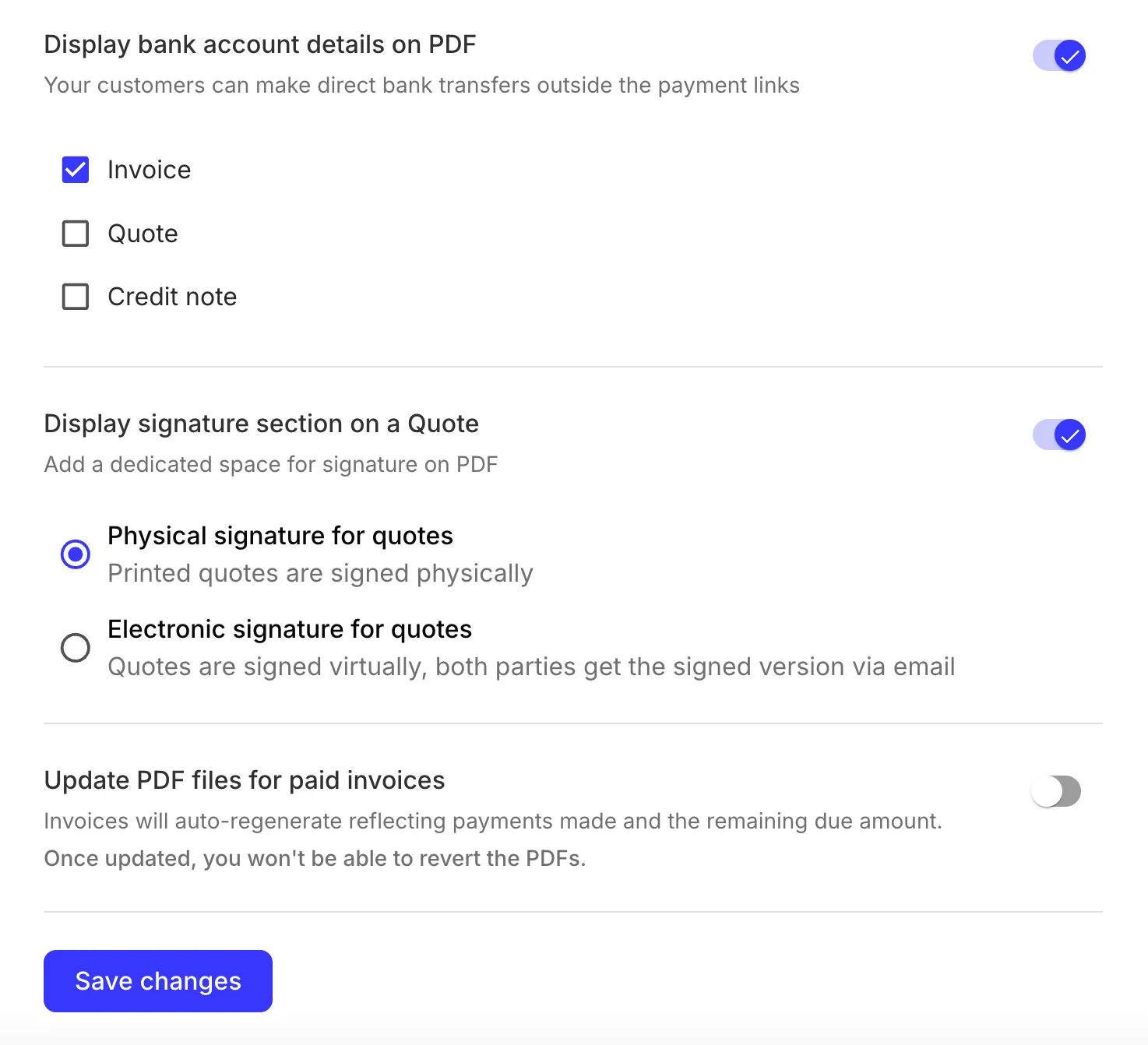
Usage
Use the OtherSettings component in your application as follows:
Props
None.
User interface
All options apply only to newly generated PDFs and do not affect existing documents.
The available options are:
-
Display bank account details on PDF - controls whether to display entity bank account details in invoices, quotes, and credit notes. Users may want to remove the bank account from invoices to ensure the customers pay via invoice payment links.
View image
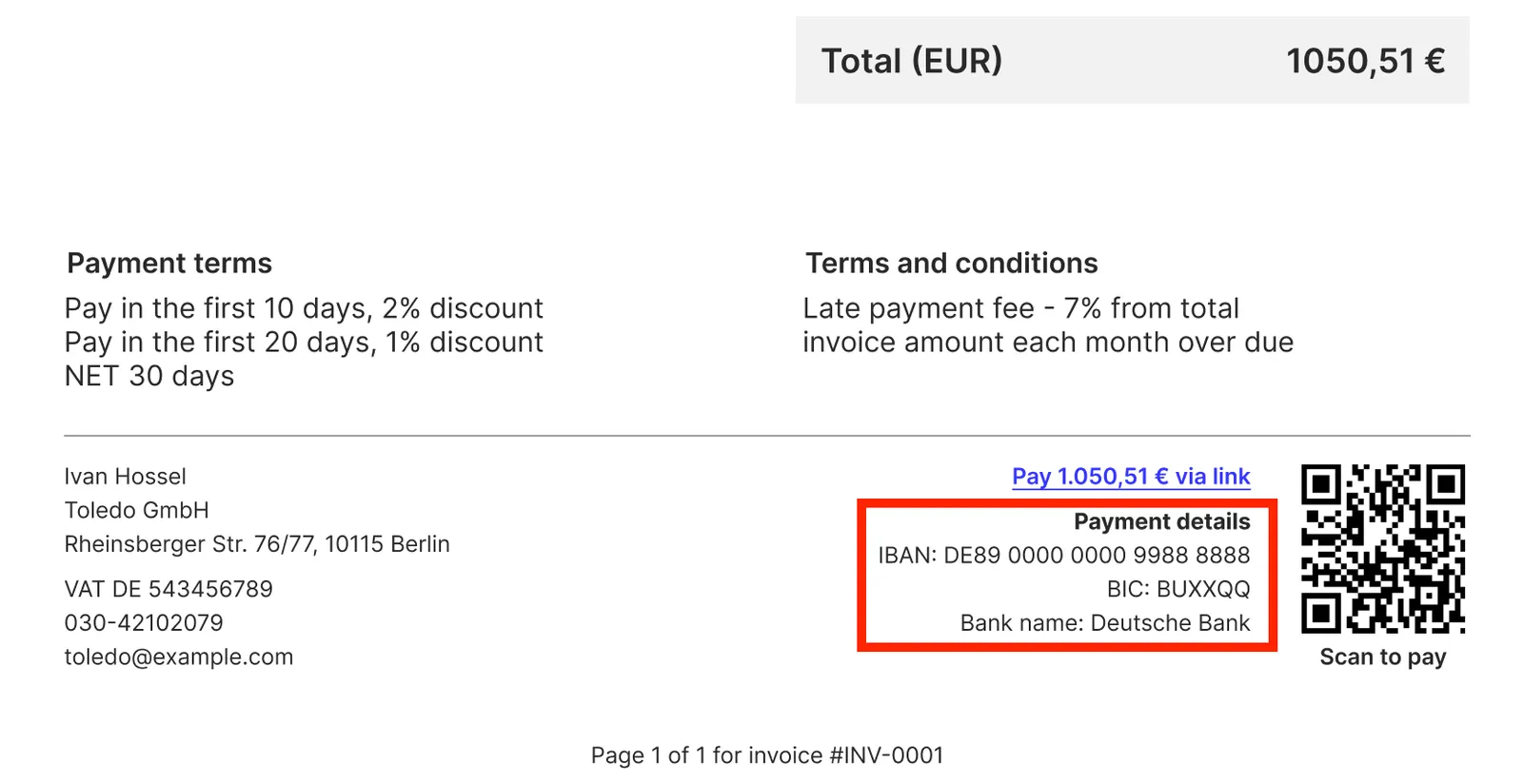
Bank account details in an invoice -
Display signature section on a Quote - if enabled, you can choose between:
-
Physical signature for quotes - PDF quotes will include a section where customers can sign the printed document.
-
Electronic signature for quotes - require the customer’s digital signature to mark quotes as accepted. This can be overridden later for individual quotes.
The signature can be provided progammatically via the
signatureobject in the request body ofPOST /receivables./{receivable_id} /accept
-
-
Update PDF files for paid invoices - this option affects invoices that are paid, partially paid, or have credit notes applied. If this option is enabled:
- The totals block in the PDF invoice will include a list of all payments made and credit notes issued.
- Once an invoice becomes fully paid, the payment link and QR code are removed.
The PDF invoice gets regenerated at the moment when an invoice payment is recorded or a credit note is issued. This PDF is not issued as a separate document, and the original PDF invoice is no longer available.