For AI agents: a documentation index is available at the root level at /llms.txt and /llms-full.txt. Append /llms.txt to any URL for a page-level index, or .md for the markdown version of any page.
API StatusPartner Portal
HomeGuidesAPI ExplorerSDKsGitHubSupport
  • Monite SDK
    • Overview
  • Drop-in
    • Drop-in overview
    • Drop-in theming
    • Drop-in localization
    • Iframe App
  • React SDK
    • Overview
      • Overview
      • ApprovalPolicies
      • ApprovalPoliciesTable
      • ApprovalPolicyDetails
      • ApprovalRequests
      • ApprovalRequestsTable
      • CounterpartDetails
      • Counterparts
      • CounterpartsTable
      • CreditNotesTable
      • DocumentNumber
      • InvoiceDetails
      • InvoicesTable
      • LayoutAndLogo
      • Onboarding
      • OtherSettings
      • PayableDetails
      • Payables
      • PayablesTable
      • ProductDetails
      • Products
      • ProductsTable
      • QuotesTable
      • Receivables
      • ReceivablesTable
      • RolesAndPolicies
      • TagFormModal
      • Tags
      • TagsTable
      • TemplateSettings
      • UserRoleDetails
      • UserRoles
      • UserRolesTable
    • SDK customization
    • SDK localization
    • SDK theming
    • SDK releases
    • v4 migration guide
LogoLogo
API StatusPartner Portal
On this page
  • Overview
  • Permissions
  • Preview
  • Usage
React SDKComponents and wrappers

Receivables component

Was this page helpful?
Previous

ReceivablesTable component

Next
Built with

Overview

The Receivables component is a comprehensive React component that renders the entire Receivables page. The component integrates the functionalities of the ReceivablesTable component and includes the ability to view receivable details.

Permissions

To access this component, the entity user must have read permissions for the receivable object. To create, edit, and delete receivables, the user must also have create, update, and delete permissions for the receivable object. For more information, see List of permissions.

Preview
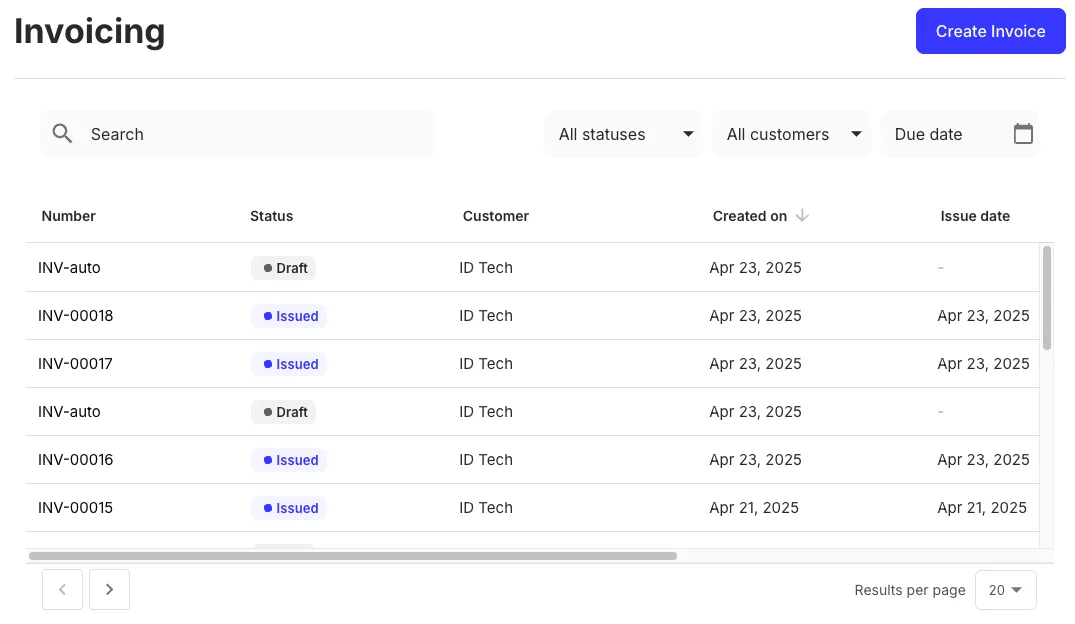
Receivables component preview

Usage

Bring in the Receivables component into your application as shown:

React.js
1import { Receivables } from "@monite/sdk-react"
2
3...
4
5// TODO: This component must be rendered within the MoniteProvider wrapper
6const ReceivablesPage = () => {
7 return <Receivables />
8};