For AI agents: a documentation index is available at the root level at /llms.txt and /llms-full.txt. Append /llms.txt to any URL for a page-level index, or .md for the markdown version of any page.
API StatusPartner Portal
HomeGuidesAPI ExplorerSDKsGitHubSupport
  • Monite SDK
    • Overview
  • Drop-in
    • Drop-in overview
    • Drop-in theming
    • Drop-in localization
    • Iframe App
  • React SDK
    • Overview
      • Overview
      • ApprovalPolicies
      • ApprovalPoliciesTable
      • ApprovalPolicyDetails
      • ApprovalRequests
      • ApprovalRequestsTable
      • CounterpartDetails
      • Counterparts
      • CounterpartsTable
      • CreditNotesTable
      • DocumentNumber
      • InvoiceDetails
      • InvoicesTable
      • LayoutAndLogo
      • Onboarding
      • OtherSettings
      • PayableDetails
      • Payables
      • PayablesTable
      • ProductDetails
      • Products
      • ProductsTable
      • QuotesTable
      • Receivables
      • ReceivablesTable
      • RolesAndPolicies
      • TagFormModal
      • Tags
      • TagsTable
      • TemplateSettings
      • UserRoleDetails
      • UserRoles
      • UserRolesTable
    • SDK customization
    • SDK localization
    • SDK theming
    • SDK releases
    • v4 migration guide
LogoLogo
API StatusPartner Portal
On this page
  • Overview
  • Permissions
  • Usage
  • Props
  • See also
React SDKComponents and wrappers

LayoutAndLogo

Was this page helpful?
Previous

Onboarding component

Next
Built with

Overview

The LayoutAndLogo component enables users to customize the visual design and branding for invoices, quotes, and other document types.
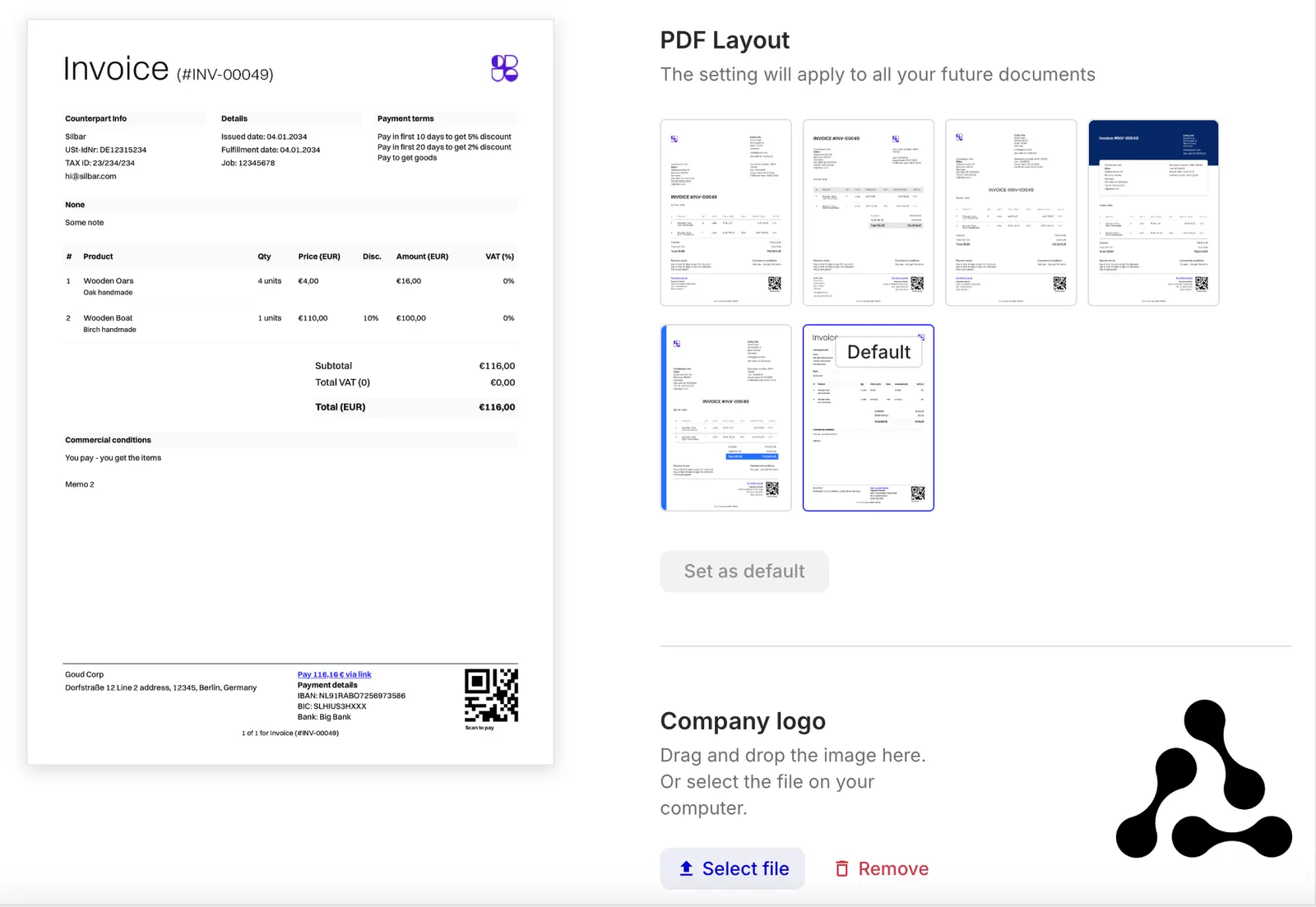
LayoutAndLogo component preview

Users can:

  • Choose from one of the available PDF invoice templates and preview these templates.
  • Upload, replace, or remove the entity logo for use in PDFs.

These options apply only to newly created documents and do not affect existing documents.

The LayoutAndLogo component is also integrated into the larger TemplateSettings component that provides a unified UI for all available invoice template settings.

Permissions

To access and use the LayoutAndLogo component, the authenticated entity user must have a role with the read and update permissions for the entity resource.

Usage

Use the LayoutAndLogo component in your application as follows:

React.js
1import { LayoutAndLogo } from "@monite/sdk-react";
2
3...
4
5// This component must be rendered within the MoniteProvider wrapper
6const LayoutAndLogoPage = () => {
7 return <LayoutAndLogo />
8};

Props

shouldApplyDialogStyles
booleanDefaults to false

Controls which CSS classes are applied to the component. Use true if the LayoutAndLogo component is rendered inside a popup window. Use false if it is rendered inside a regular screen.

See also

  • DocumentNumber
  • OtherSettings
  • TemplateSettings