

Invoice attachments
Overview
Many businesses, especially those in constructions and trade, need to include additional documents when sending invoices and quotes to their customers. These additional documents can be contracts, schedules, timesheets, project files, photos, diagrams, reports of work, and similar.
With Monite API, you can add attachments to invoices, quotes, and credit notes and control which attachments will be included in emails or just stored for reference.
Considerations
- You can attach files to the following types of documents in any status:
- invoices
- quotes
- credit notes
- Maximum file size is 15 MB.
- There is no limit on the number of attachments, but the total email size is limited to 25 MB. This limit includes all attachments plus the email’s HTML content and the Monite-generated PDF version of the document.
- Monite does not limit the file types and MIME types that can be uploaded or attached to receivables. Partners can choose to restrict the allowed attachment file types on their side, if required.
How to attach files to invoices
While this guide focuses on invoices, you can also attach files to quotes and credit notes in the same way.
Step 1. Upload files to Monite
Call POST /files with a multipart/form-data body containing the file and with the file_type parameter set to attachments:
The response contains a unique ID assigned to this file.
Note down this ID as you will need it later.
The response also contains a public url link to download the uploaded file from Monite servers.
Step 2. Add files to invoice attachments
When creating or updating invoices, use the attachments field to specify a list of file IDs to attach to the invoice.
Each file in the attachments list also has the include_in_email attribute that controls whether this file will be sent as part of invoice emails and reminders.
The same file can be attached to different invoices.
Create a new invoice with attachments
Attach files to an existing draft invoice
Attach files to an issued invoice
The attachments list accepts only files uploaded with file_type = attachments.
In API responses, the attachments list is expanded to include full file details, including the file names, file sizes, and download URLs.
Client applications can use this information, for example, to display previews of attachments.
Documents without attachments have the attachments value of null.
Attachment inheritance
Invoices created from quotes, credit notes created from invoices, and cloned documents do not inherit attachments from the original document.
Recurring invoices inherit only attachments with include_in_email=true from the base invoice template.
Update or remove attachments
When updating the attachments list for an invoice, the new list fully replaces the previous list.
In other words:
- To add new attachments, include both the old and new attachments in the
attachmentslist. - To remove some attachments, send the
attachmentslist containing just the attachments you want to keep. - To remove all attachments, send
"attachments": null.
Removing attachments from an invoice does not remove the corresponding files from the /files resource.
To remove an uploaded file itself, use DELETE /files/{file_id}.
List available files for attaching
To get a list of all files that were uploaded for use as attachments, call GET /files with the query parameter file_type=attachments.
The response contains the file IDs, file names, and URLs that can be used to preview the files:
Attachments and emails
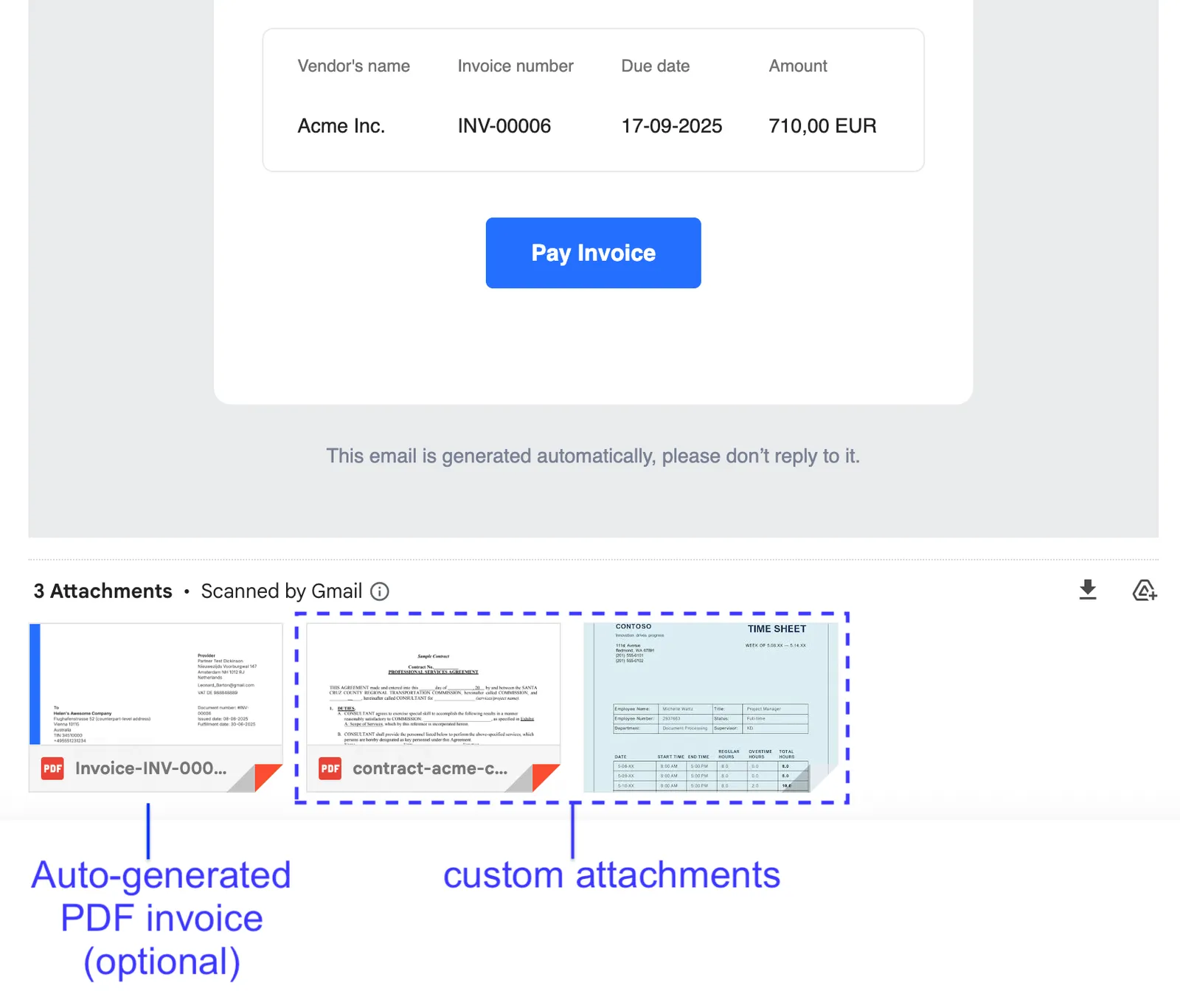
Custom attachments that have include_in_email set to true are included in emails sent by POST /receivables.
Attachments are currently not included in invoice payment reminders and overdue reminders.
Exclude auto-generated PDF invoice from emails
By default, emails sent by Monite include the PDF invoice that was automatically generated by Monite.
To exclude the auto-generated PDF invoice from emails, partners can set the partner-level setting
mail.attach_documents_as_pdf
to false:
This setting applies to all entities of a partner.
Limitations
- E-invoices are currently sent without attachments.